What is Claude Cowork, and what can it do for a founder?
Claude Cowork takes a task, works through your files and tools, and hands back the finished document, sheet or deck. No terminal. Start with three tasks you already do by hand.

On this page
What is Claude Cowork, in plain words
Claude Cowork is the part of Claude you hand a task to. You describe the result you want. Claude plans the steps and works through them. Back comes a formatted document, an organized folder or a research summary.
Anthropic sums it up in three lines. Chat is for thinking with Claude. Cowork is for delegating to Claude. Code is for building software.
Cowork runs on the same engine as Claude Code, the tool Anthropic built for developers, but you never open a terminal or type a command.
It works in the Claude desktop app for Mac and Windows, on the web, on your phone and in the Claude side panel in Chrome. Since September 2026, Pro and Max accounts are getting chat and Cowork in one conversation: Claude decides whether your request needs a quick answer or a full task.
If you can describe the result, you can hand it over.
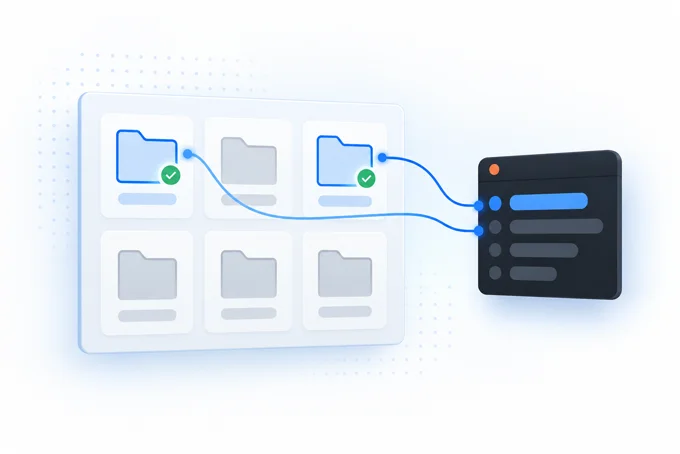
What Cowork does with your files and folders
In chat, Claude cannot open your files. In Cowork, it reads, edits and creates files in the folders you connect.
You choose the folders and the tools. Claude cannot reach anything else.
In the desktop app it works on the files on your computer. Nothing to upload, nothing to download. A session started on the web reaches those folders only while the desktop app is open on that computer.
You watch it work. Claude shows each step: the files it opens, the tools it uses and the choices it makes. It asks before it deletes any file for good.
Connect one folder of copies first, then widen access once you trust the results.
Tasks Cowork handles, with examples
Anthropic's test: use Cowork when the result is a file someone will open, a deck someone will present or a spreadsheet to sort.
For a founder, that looks like this:
- A weekly report built from the same sources every Monday, set to run on a schedule.
- Two spreadsheets matched line by line, with every mismatch listed.
- A first read of a stack of contracts, with the clauses worth checking marked.
- Patterns pulled from a quarter of sales call notes.
- Research gathered from several places into one summary.
- A slide deck or a spreadsheet with working formulas, built from a folder of inputs.
A good task hits a few of these marks. Several things go in and one file comes out. You will do it again, you know what good looks like, and the middle part is dull.
Scheduled tasks run in the cloud. Your computer does not need to be awake.
Pick the task you did by hand last week. That is your first candidate.
Not sure which task to hand Claude first? Find it on a free call.
Plugins and skills: teach Cowork how you work
A skill is a set of instructions Claude follows when a task matches it, such as the way your team builds the weekly report.
Anthropic ships skills for spreadsheets, documents, slide decks and PDFs, and they switch on by themselves when a task needs one.
A plugin bundles several skills with connections to your other tools, so you add them in one step. Connectors link Claude to the apps and data you already use. You manage all three under Customize in the sidebar.
Anthropic reviews the plugins in its own directory before it lists them. A skill someone shares with you gets no review, so read it before you turn it on.
Want a head start? Our free Claude skills library has ready skills for SEO work.

Cowork vs Claude Code vs chat
| You bring | You get back | Built for | |
|---|---|---|---|
| Chat | A question or a problem to think through | An answer, one message at a time | Quick thinking with little context |
| Cowork | A task with a clear result that touches your files or tools | A finished document, sheet, summary or browser action | Founders and teams who delegate work |
| Claude Code | A software project | Working code, inside your codebase | Developers comfortable in a terminal |
Skills and plugins you add to your account work in both Cowork and Claude Code.
Ready for the terminal route? Our founders guide walks through Claude Code step by step.
Getting started: install, plans and cost
Today Cowork comes with the paid Claude plans: Pro, Max, Team and Enterprise. On Enterprise, an admin switches it on for the company. Anthropic has said more plans follow. Its plans page before you pick one.
Getting started takes five steps:
- Install the Claude desktop app for Mac or Windows, or open Claude on the web.
- Sign in with a paid plan.
- Select Cowork in the message box. If you no longer see the choice, describe the task.
- Connect one folder.
- Read Claude's plan, approve it and let it run.
Your first session needs nothing more than a folder and a clear ask.

Is Claude Cowork safe? What it can touch
Cowork reaches your computer only through the desktop app, and only the folders you connect. Cloud sessions run in a separate, temporary space on Anthropic's servers.
It shows its plan and waits for your approval before anything significant.
For each connected app you choose how often it asks: Manual asks every time, Auto approves with safety checks, Skip runs with no automatic checks.
The main risk is a web page or file with hidden instructions that tries to steer Claude. Anthropic calls this prompt injection. Three habits keep you safe:
- Keep sensitive files, such as financial records, out of connected folders.
- Give Claude web access only to sites you trust.
- Stop the task if Claude opens files or sites you did not mention.
Anthropic's safety guide covers the rest.
How to use Claude Cowork: your first three tasks
-
Sort a messy folder. Connect a folder of copies and ask:
Sort these files into folders by client and month, and list anything you could not place. -
Turn notes into one document. Point Claude at last month's meeting notes and ask:
Write a short summary with the decisions made and the questions still open. -
Build a sheet from a stack of files. Give it a folder of invoices or exports and ask:
Build a spreadsheet with one row per item and working totals.
Add one line to any prompt:
Before you start, repeat my ask back to me and ask every question you have.Once one task works, save the steps as a skill so Claude repeats them the same way.
Free call
Know which task to hand Cowork first.
Installed Cowork and not sure what to give it first? One free 30 minute call on your own business names that task, with nothing to buy.
- What you get
- A free AI readiness assessment with your three best AI systems ranked by payback.
- How it is priced
- The assessment is free. We quote after the first call.
- What you bring
- A list of the tools you use and read access to one or two.
Prefer to write? Send us a message.
Questions founders ask about Claude Cowork
What does Claude Cowork actually do?
You describe the result and Claude plans the steps, works through your files and shows each one. Back comes a document, a sheet or a research summary.
Is Claude Cowork free?
Today it needs a paid Claude plan: Pro, Max, Team or Enterprise. Anthropic has said more plans follow, and its plans page lists what is current.
Is Claude Cowork safe to use?
It reaches only the folders you connect and asks before it deletes anything for good. Keep sensitive files out of those folders and give it web access only to sites you trust.
How do I get Claude Cowork?
Install the Claude desktop app for Mac or Windows, or open Claude on the web, and sign in with a paid plan. Select Cowork in the message box, or describe the task if Claude already picks the mode for you.
How is Cowork different from normal Claude chat?
Chat answers one message at a time and cannot open your files. Cowork reads, edits and creates files in the folders you choose and carries the task to the end.
Is Cowork connected to Claude Code?
Yes, the skills and plugins on your account work in both. Claude Code is built for developers working in a codebase, Cowork for everyone else who wants work done.
Is Claude Cowork worth it?
It fits best on work you repeat, where several inputs become one file. Hand it one task, compare the result to your own and decide from that.
Does Cowork need detailed instructions to work?
Name the result, the files to use and what good looks like. Then ask Claude to repeat the task back and ask its questions before it starts.