The Aluxads onpage SEO checklist
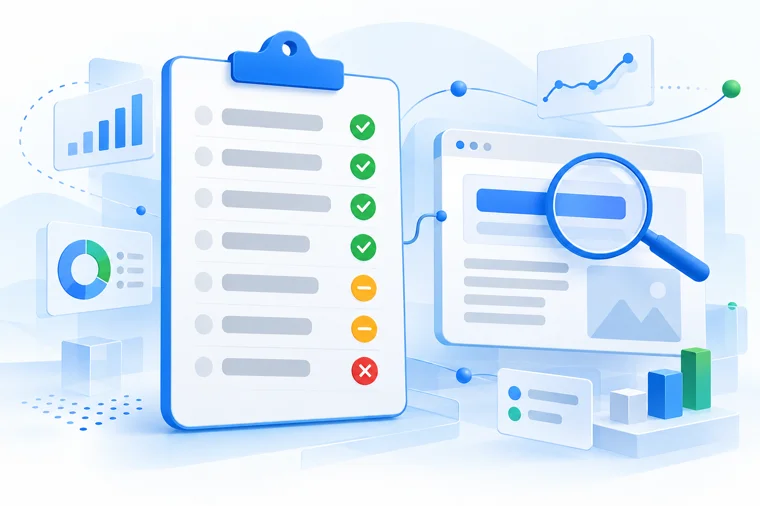
A page can read well and still miss what Google checks first. Score any page in seven checks and know which fix to make first.
Free PDF today. The free audit scores your whole site next.
- 6.7× revenue
- 3× conversions
- 4× bookings from search
On this page
How do you write a title tag that gets the click?
The title tag names the page in its code. Google usually shows it as the blue link in search results. The browser shows it on the tab, and a shared link often shows it on the social card.
It is the first line a searcher reads about your page. Google reads it to learn the topic. The searcher reads it to decide whether to click. A title that names the search and gives a reason to pick your page does both jobs.
6 title styles that get clicks
Pick one style by what the page does, then keep the keyword early.
- 1Launch Fits a new product, service or feature on the day it goes live.
- 2Breaking news Fits a change your buyers need to hear about now, such as a new rule.
- 3Big promise Fits a page that delivers one clear result, named in the title.
- 4Number list Fits a page built as a list, with the count up front.
- 5Question Fits a page that answers one question in its first lines.
- 6What | Benefit | Brand Fits service and resource pages: the search, what the reader gets, then your name.
What is a title tag?
A title tag is the page name written in its code. Google shows it as the blue link in search results, where searchers use it to pick a page.
- Your exact keyword appears in the title tag.
- The keyword sits in the first 30 characters.
- The whole title runs 30 to 60 characters, brand name included.
Should the H1 match the title tag?
The H1 is the headline a visitor sees at the top of the page. It tells the reader they landed in the right place, and it tells Google what the page covers.
The title tag and the H1 do different jobs. The title earns the click in search. The H1 keeps the reader once they arrive. Word them apart and Google reads the keyword in two phrasings.
What is an H1 tag?
An H1 is the main heading at the top of a page. It tells visitors and Google what the page covers.
- Your exact keyword appears in the H1.
- The H1 reads differently from the title tag.
- When the two match on purpose, note why, for example the H1 carries the plural.
Where should your keyword go in the H2s?
H2s split the page into sections and name what each one answers. Readers skim them to find their part. Google reads them to see which questions the page covers. It can show the text under one as a direct answer in search results.
One H2 with the exact keyword tells Google the page is about that search. The other H2s can follow the questions people type, each with a short answer right below it.
What are H2 headings?
H2s are the section headings under the H1. They split the page by topic, so readers and Google find each answer fast.
- At least one H2 holds your exact keyword phrase.
- Each question searchers ask gets its own H2 or H3.
- The direct answer sits in the first 40 to 60 words under that heading.
How often should the keyword appear in body copy?
Body copy is where the page proves it answers the search. Google reads every sentence to judge the topic, and the reader decides in the first paragraph whether to stay.
Use the keyword where a reader would expect it. A mention in the first paragraph confirms the topic early. Later mentions should read the way you would say them out loud. Text packed with the same phrase reads badly and can hold the page back in search.
What is body copy?
Body copy is every sentence a reader sees on the page. It proves the page answers the search the reader typed.
- Your exact keyword appears three times or more.
- The first paragraph carries it once.
- Every mention reads as a natural sentence.
- Links sit on words already there, never on a sentence added for them.
How long should a meta description be?
The meta description is the short summary under your blue link in search results. It does not decide where the page ranks. It decides whether people click.
Words that match the search often show in bold. A keyword near the start catches the eye. Write it as a reason to click: what the page gives the reader, in one or two plain sentences. Google sometimes shows other text from the page when that fits the search better.
What is a meta description?
A meta description is a short page summary written in the page code. Google often shows it under the blue link, where it gives searchers a reason to click.
- Your exact keyword appears in the meta description.
- The keyword sits in the first 30 characters.
- It runs 150 to 160 characters.
- The exact phrase comes first, then what the page offers.
- Count the characters before you save the page.
What should image alt text say?
Alt text is a short description of an image, written in the page code. Screen readers read it aloud to people who cannot see the image. The browser shows it when the image fails to load.
Google reads alt text to understand the image and the page around it. It helps the image show in image search, and one alt that names your keyword ties the picture to the topic. Describe what the image shows first, then add the keyword where it fits.
What is image alt text?
Alt text is a short description of an image, written in the page code. Screen readers read it aloud, and Google uses it to understand the image.
- List the alt text of every image on the page.
- At least one alt holds your exact keyword.
Does the keyword need to be in the URL?
The URL is the page address, shown in the browser bar and above the title in search results. Readers see it before they click and again when they share the link.
A short URL with every word of the keyword reads clearly and tells Google the topic. Set it before the page goes live. A URL changed later needs a redirect from the old address, or every link to the old one breaks.
What is a URL?
A URL is the address of a page. It shows in the browser bar and in search results, and tells readers and Google what the page covers.
- Every word of your keyword appears in the URL.
- A missing small word such as "in" scores a partial.
How to score a page with the on page SEO checklist
Mark each check pass, partial or fail, then fix from the top.
- Pick one keyword per page, the search it already shows for in Google Search Console.
- Pass: the check holds in full. Partial: part of it holds. Fail: none of it.
- Aim for 7 of 7, with a written reason for every partial.
- Fix in this order: title, H1, H2, first paragraph, meta description, one alt, body.
- Write down the score and the date before you change anything.
- Check the page's rankings again 21 to 28 days later.
Can Claude score a page with this SEO checklist for you?
Yes, with our free Claude skill. It runs the same seven checks on a page, marks each one pass, partial or fail, and scores the page in one run. You get the fix list and a date to check the page again.
Print the SEO checklist PDF and mark each page
All seven checks on one sheet, with a box per check for pass, partial or fail.
Free audit
See which fixes your whole site needs first.
Want the rest scored? We score your whole site and rank the fixes in about a week. 1 hour of your time, nothing to buy.
Prefer to write? Send us a message.
Questions about the SEO checklist
Is an on page SEO checklist enough to rank?
An on page SEO checklist covers what Google reads on the page itself: title, headings, body, meta description, image text and URL. It makes the page clear for one search, and rankings also depend on speed, links and whether Google lists the page at all.
Do I need to redo this after every edit?
Only when the title, headings or meta description change. Body edits that keep the keyword in place leave the score as it is.
Do I need a paid SEO tool for this?
No. You can run every check from the page code (right click, view source), and Google Search Console, which is free, shows the searches a page already appears for.
Does the checklist cover technical SEO?
It covers the page itself, not the site around it. A check of the whole site, which our free SEO audit includes, covers the rest.
Is the free SEO audit really free?
Yes, there is nothing to buy. You get the same ranked report whether you hire us or not.