Business automation case study: 194 systems, one owner, no office staff
A national services business runs on 194 systems we built, with 84 service contractors and no office staff. Here is what each system does and which ones fit a company like yours.
On this page
The business before: one owner and work that repeats every day
84 service contractors deliver the work, and one owner runs the company. There is no office team behind them.
Without systems, every recurring job lands on the owner's desk. New team members need a page. People who leave need to come off every page. Prices change, bookings arrive, reviews wait for an answer and photos need a check before they go public.
The brief was one line: every recurring job runs as a system. The owner keeps the decisions. The systems keep the business current.
Business process automation examples from one services business
We grouped the 194 systems by the job they do. These jobs carry most of the weight.
-
Taking bookings
Customers book in the channel they prefer, with what they looked at already in the message. Every booking lands in one view to confirm, change or cancel.
-
Team changes
A new team member's page publishes itself within about 2 seconds of a profile update. Mark someone as left and every page updates that night.
-
A website that stays current
Every page rebuilds each night from the business's own data. Change a price once and every page carries it by morning.
-
Pages that reach search
Every location and service gets its own page, written from that page's own search data. New and changed pages go to search engines on their own.
-
Reporting
Bookings, revenue and search rankings arrive as reports nobody builds by hand. An alert goes out before a posting queue runs dry.
-
Checks before anything ships
17 automatic checks run before any change goes live. A broken change is stopped before a customer sees it.
Each system from this build sits in the business automation systems catalog, with the job it took over.
Each of these started as a job someone repeated. Book the assessment call and see which of yours comes first.
Four autonomous AI systems and what they save
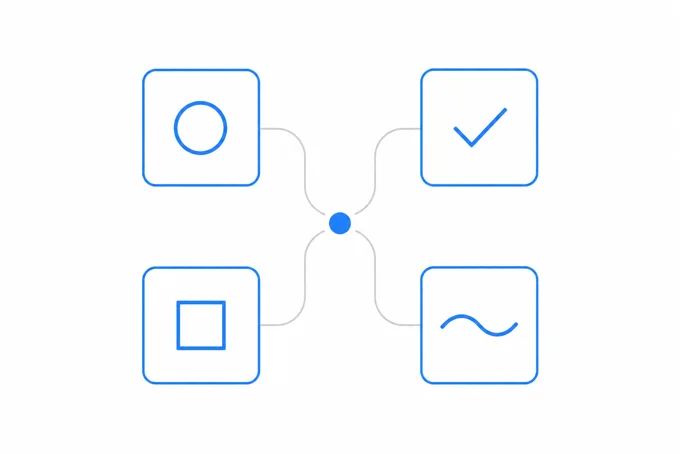
A national services business with 84 service contractors saves about $248k a year with four autonomous AI systems. Each one does a daily job without anyone pressing a button.
-
Team introductions
New team members introduced online without anyone writing a word.
-
Review replies
Every customer review answered in the owner's voice.
-
Photo checks
Every photo checked before it goes public.
-
Listing posts
Local listing posts published on their own.
The business automation case study in numbers
The numbers from one business, all live.
Fully automated operations
A services business with 84 service contractors runs on 194 systems and one owner
A national multi location brand. Every recurring job runs as a system.
194
systems live
84
service contractors
0
office staff, one owner
2s
before a change starts publishing itself
0
data lost across every change shipped live
17
automatic checks before any change goes live
Systems and architecture cost: $0. The whole stack runs on free tiers.
Anonymized under NDA. The numbers are real.
194 systems began with one. Book the assessment call and find the first one for your company.
How a build like this is sequenced
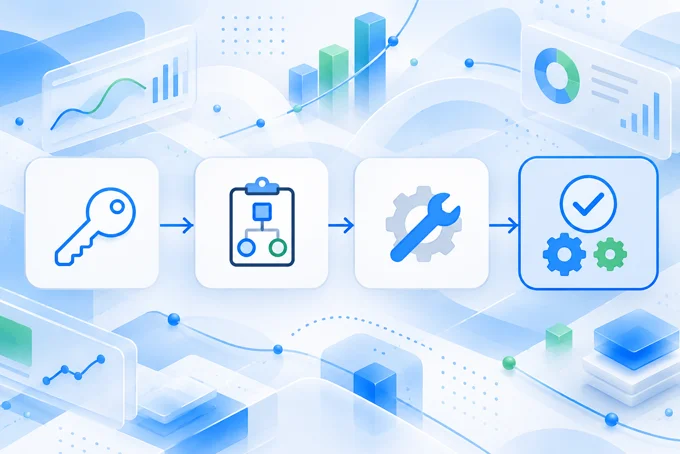
The first weeks go to getting it right. Then the system does its job every day.
-
Weeks one to two: access, walkthrough and plan
We work inside your tools with the access you give. You approve the plan, and every step is tested before it goes live. -
Test on real work
The system runs on last month's bookings, changes and reviews before anyone relies on it. -
First system live in 4 to 6 weeks
The first system goes live and starts doing its job. -
The next job
Each new system joins the ones already running, one job at a time.
Which of these systems fit your company
You do not need 194 systems. You need the first one. Start with the job that takes the most hours each week.
One of these is a good first system if:
Someone confirms every booking by hand.
Your website lags behind when your team changes.
Some pages still show last month's prices.
Reviews wait days for an answer.
Someone builds the same report every month.
Photos go out before anyone checks them.
The free automation assessment finds your first system. You get a priced map of your recurring work and the first system to build. Your tools stay as they are while we map.
Your first system
Find the job your company should stop doing by hand.
1 hour of your time and a priced map of your recurring work.
- What you get
- A free automation assessment with your repeated jobs priced and the first system named.
- How it is priced
- The assessment is free. We quote after the first call.
- What you bring
- A list of the jobs your team repeats every week.
Prefer to write? Send us a message.
Questions
Will this work if we are not a services business?
Yes, if the same jobs repeat every week. Bookings, team changes, prices, reviews and reports repeat in most companies.
Is a business automation case study like this realistic for a company our size?
Yes, this business runs with one owner and no office staff. How often a job repeats matters more than how big the company is.
What happens when an automated system breaks?
Every change passes automatic checks before it goes live, so a broken one never reaches a customer. If a check fails, the system holds the change and tells the owner what to look at.
How long before our first system is live?
4 to 6 weeks. The first 2 weeks go to access, a walkthrough of how your team works and a plan you approve.